
Video & Smart Court
See what really happens on the court
Coaching improves when you can look beyond memory and work with what actually happened.
Video & Smart Court helps you capture training sessions and matches, review key moments, and understand performance more clearly. Instead of relying only on impressions, you can work with real footage, visual context, and structured analysis.
That means better feedback, clearer learning, and more informed coaching decisions.
> Turn every session into insight.
Why video changes everything
Most coaching still depends heavily on memory and intuition.
But in real training and match environments:
- you cannot remember every point, pattern, or movement
- players do not always feel what actually happened
- useful moments are easy to miss
- feedback often comes too late or stays too vague
That is where video changes the process.
With video, you move from:
“I think” → to “I know.”
You can return to the moment, slow it down, mark it, explain it, and connect it to future training. This makes feedback more objective and much easier for players to understand.
For the full Video Analysis workspace (projects, AI assist, timelines), see Video Analysis.
Capture, review, and understand performance
Video & Smart Court gives you one connected workflow for seeing, reviewing, and explaining performance more clearly.
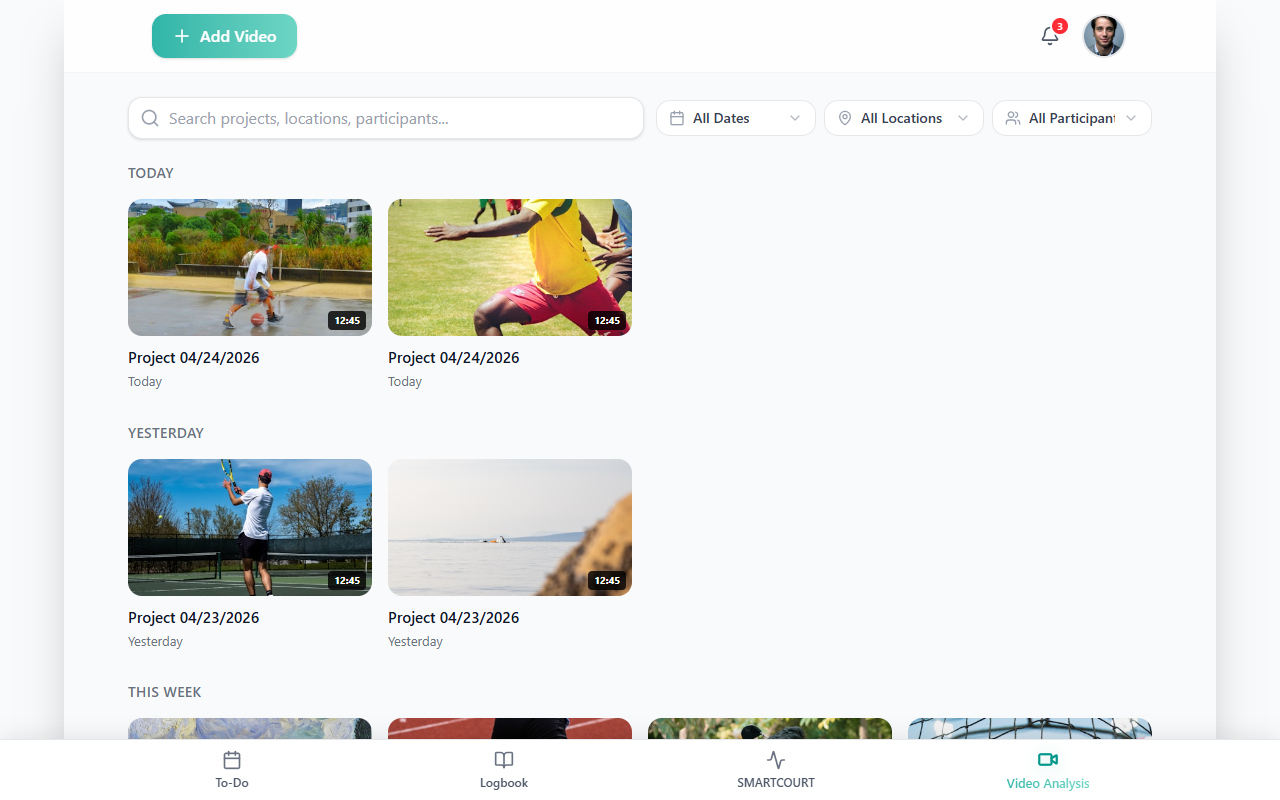
Record sessions and matches
Capture what really happened — not just what you remember afterwards.
Use video to:
- record full training sessions
- capture matches
- save specific practice blocks or drills
- build a usable library of real performance over time
This creates a long-term record that can support technical review, tactical feedback, and development tracking.
Session recordings also feed Video Analysis when you add footage from past sessions — see Add from session recordings in that guide.
Break down key moments
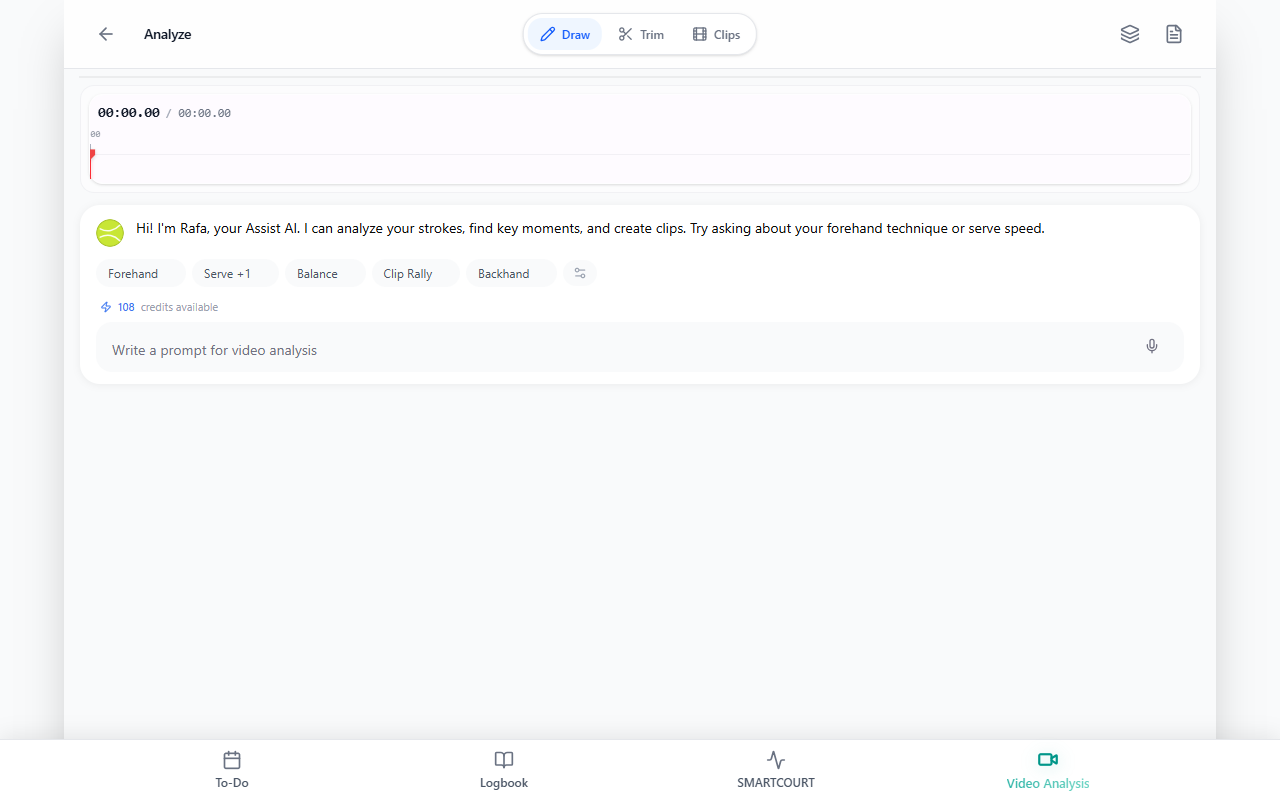
Once the footage is captured, you can focus on the moments that matter most.
This helps you:
- isolate important situations
- review actions step by step
- slow the footage down
- provide more precise visual feedback
Instead of giving general corrections, you can point to exact moments and explain them clearly.
Use Smart Court to structure your analysis
Video becomes even more useful when it is connected to court context.
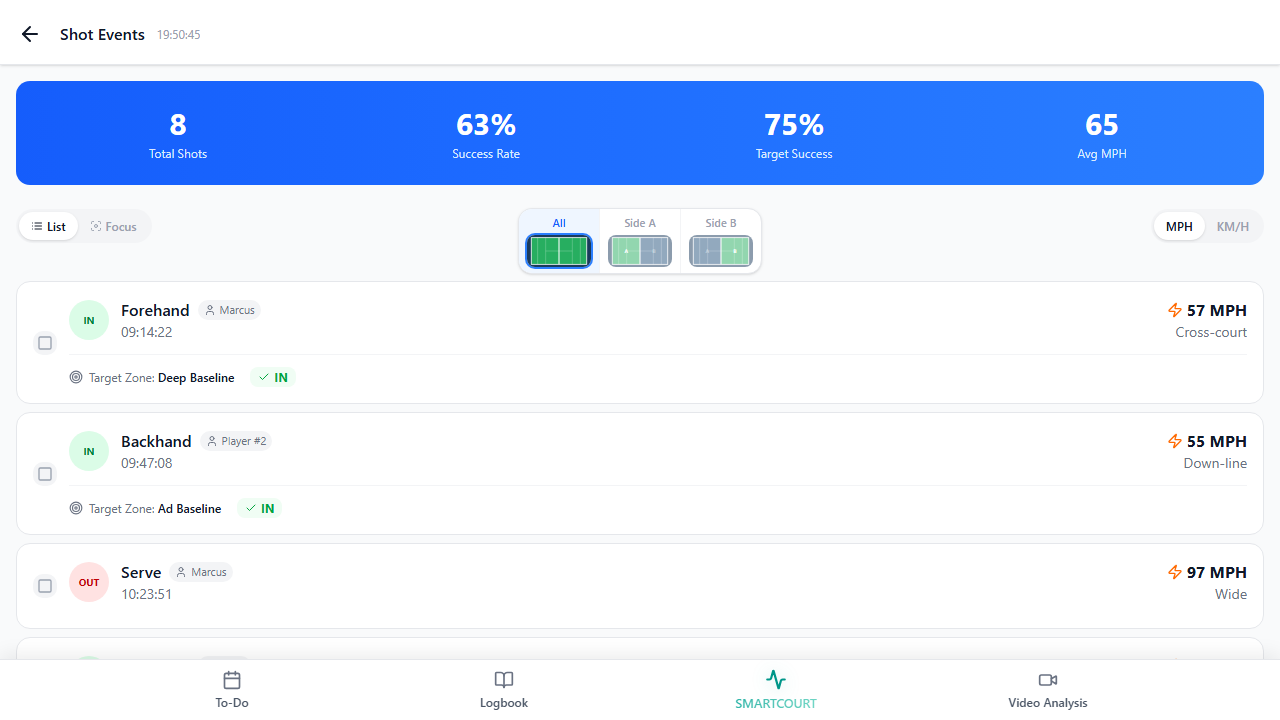
Smart Court helps users go beyond generic video review by adding a clearer view of where actions happened and how they relate to movement, positioning, and decisions on court.
With Smart Court, you can:
- connect activity to a specific court or location
- visualize actions in court context
- understand movement and positioning more clearly
- review patterns and decisions in a way that is easier to explain
This helps coaches and players move from “what happened on video” to “what happened on court.”
The Smart Court guide covers the session shell, Shot Events, Training Plan, cameras, and live flow; Smart Court: Start New Session walks through starting a session from the court list.
Create your own Smart Court setup
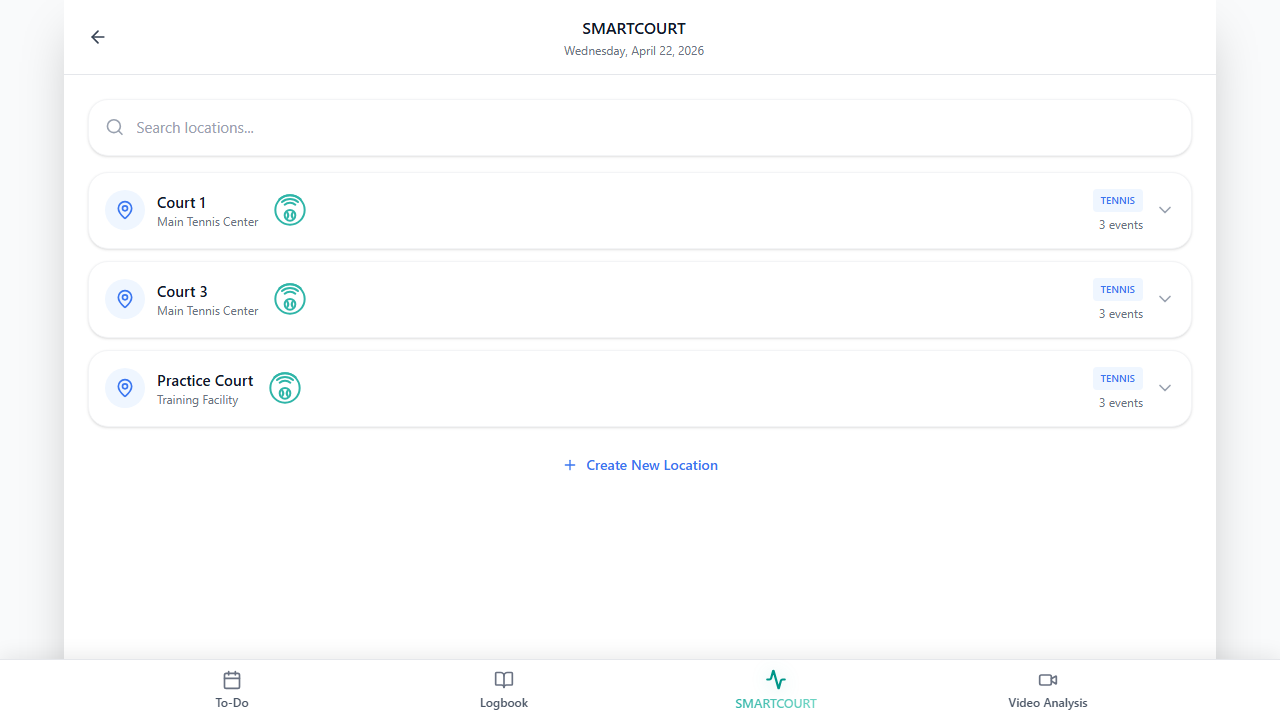
Smart Court is flexible enough to match real training environments.
You can create your own setup by:
- defining the court or facility
- connecting your capture setup
- shaping Smart Court around your real training environment
- building a workflow that fits your coaching or club setup
This makes it possible to turn a normal court into a smarter training environment — whether you work with a fixed venue, a private setup, or a more mobile workflow.
Step-by-step narrative: How to Create Your Own Smart Court.
From raw video to actionable insight
This is where video becomes part of development, not just documentation.
Record → Review → Analyze → Explain → Improve
Here is what that looks like in practice:
| Stage | In CoachEye |
|---|---|
| Record | Sessions and matches from Smart Court, Today, and Training Management-aligned planning |
| Review | Timelines and markers in Video Analysis |
| Analyze | Technique, patterns, and decisions (workspace + assist features in Video Analysis) |
| Explain | Show players visual evidence — clips, slow motion, on-court context via Smart Court |
| Improve | Adjust the next session using Drills Collection, Training sessions, and Development Plans |
This is what makes video so powerful in coaching: players do not just hear feedback — they can actually see it.
What changes for you
| Before | After |
|---|---|
| feedback depends too much on memory | feedback becomes visual and more objective |
| players do not always understand corrections | players see mistakes and progress more clearly |
| patterns are easy to miss | coaches can explain moments with more precision |
| useful match or training moments disappear after they happen | patterns in technique, movement, and decision-making become easier to spot |
| video supports a deeper understanding of performance |
Video does not replace coaching judgment. It strengthens it.
When to use Video & Smart Court
This workflow is especially valuable when you want to:
- analyze matches
- review technical execution
- study tactical decisions
- compare training footage over time
- help players understand mistakes faster
- support feedback with visual evidence instead of general explanation
It is especially effective when the goal is not only to tell the player what happened — but to help them actually understand it.
Connected with the rest of your workflow
Video & Smart Court is not a separate layer outside the rest of the product. It strengthens everything else.
It connects directly with:
- Training Management → record sessions you have planned
- Drills Collection / Create New Drill → review how exercises were actually executed
- Analytics & Progress → support data with real visual context
- Development Plans → track visible progress over time
This makes video review part of the broader coaching loop, not just a standalone media task.
Coaching that players can see
Talking is not always enough.
When players can actually see what happened, feedback becomes easier to understand, easier to trust, and easier to apply.
That is why Video & Smart Court matters:
- it helps coaches explain more clearly
- it helps players learn faster
- and it turns real performance into something that can be reviewed, understood, and improved
When coaching becomes visible, improvement becomes faster.